Difference between revisions of "Hesperia Online: Checking a Student's Activity"
From Scorpion 411
Mark Smith (talk | contribs) |
Mark Smith (talk | contribs) |
||
| Line 1: | Line 1: | ||
| − | # Under the Settings block, click on Enrolled Users | + | # Under the Settings block, click on Enrolled Users. <br />[[File:HO-Student-Activity-Report-Step-1.png|400px|link=]] |
| − | < | + | # Click on the picture, next to the name, of the student whose Activity Report you want to see. <br />[[File:HO-Student-Activity-Report-Step-2.png|400px|link=]] |
| − | |||
| − | # Click on the picture, next to the name, of the student whose Activity Report you want to see. | ||
| − | [[File:HO-Student-Activity-Report-Step-2.png|400px|link=]] | ||
Revision as of 23:13, 29 August 2012
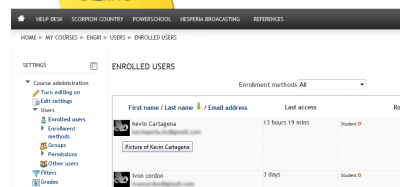
- Under the Settings block, click on Enrolled Users.
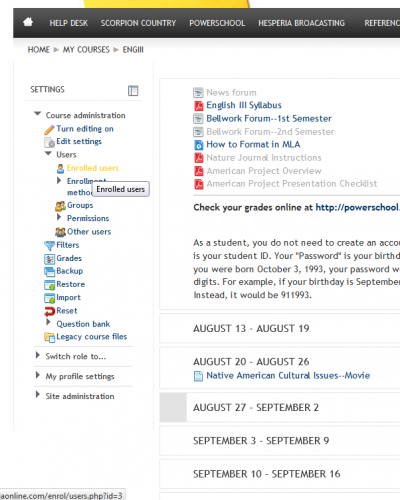
- Click on the picture, next to the name, of the student whose Activity Report you want to see.